In case CuteRank fails to automatically update to the latest version (2.4.0) with the built-in auto updater. There is another way around. (You may need run CuteRank as administrator to complete the update)
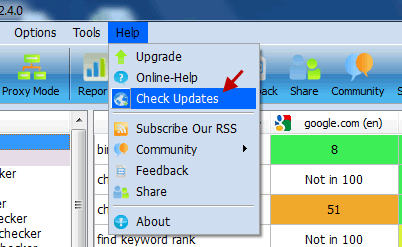
Step 1. Click Help -> Check Updates
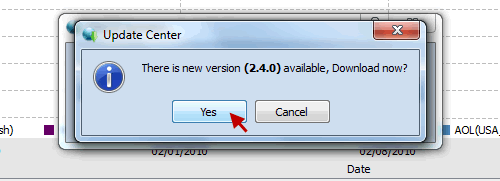
Step 2. Download the update file
If CuteRank fails to install the update, then you can follow these steps:
Step 3. Open the folder where you have installed CuteRank and locate file “update.exe”
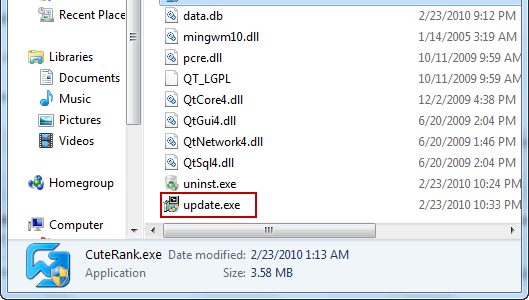
Step 4. Run “update.exe”
At this time you should have successfully updated CuteRank the the latest version. If not please contact support[at]cuterank.net or just leave your message below.
We are sorry for the inconvenience. This bug will be fixed in the next version.
CuteRank Team

