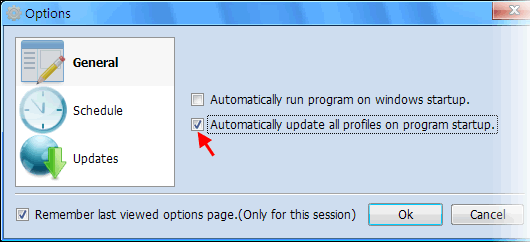
From Version 2.0, CuteRank allows users to update all keyword rankings (update all profiles) on program startup. Let’s see how we can realize it.
- Click “Options” from the “Tools” drop-down menu;
- Select “General” Options
- Select “Automatically update all profiles on program startup”
And it’s done! Now CuteRank will automatically update all keyword rankings on program startup. This is a necessary step if we want to update website rankings automatically.