For webmasters who has a lot of websites and keywords, it is not very convenient to add profiles and keywords one by one in CuteRank previous versions. Now with CuteRank 2.7.0, it is easy to create multiple profiles at a time by importing profiles from text file.
Here is the process how to create multiple profiles by importing profiles from text file.
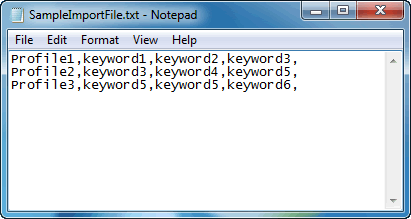
First of all we need to create a text file with your websites and keywords in following format:
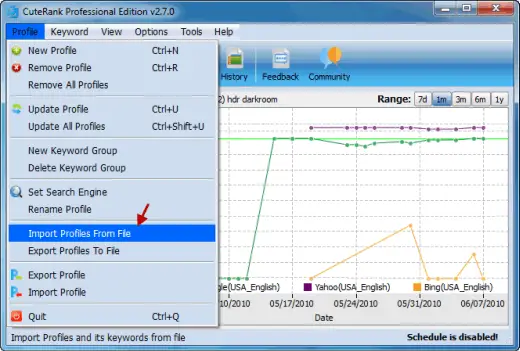
Then let’s open CuteRank and select “Import Profiles from File” in the “Profile” drop down menu;
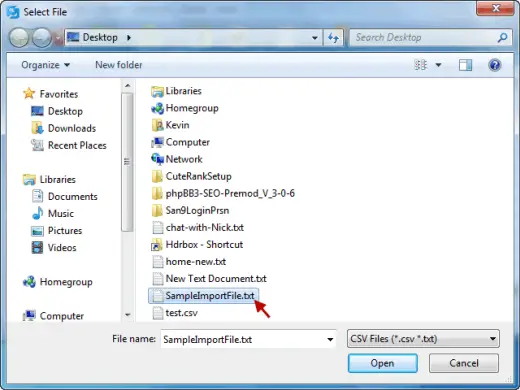
Select the text file with you profiles and keywords in the fixed format and click open:
Then set search engines for each profile, when you are done, click “OK”
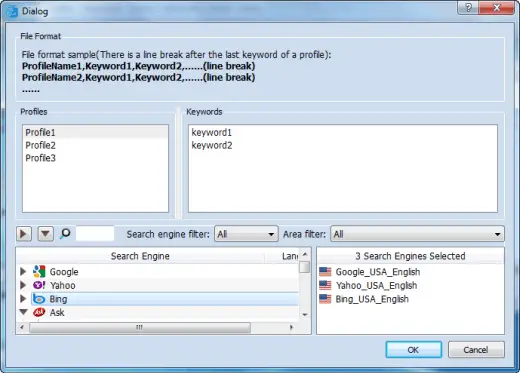
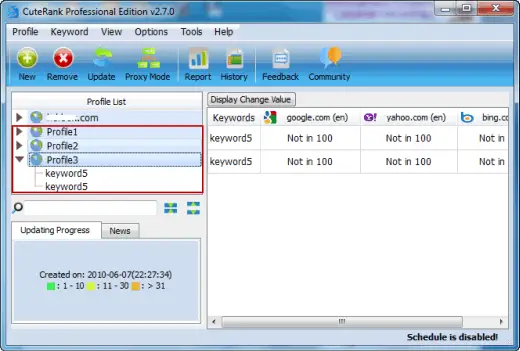
That’s all, these websites with their separate keywords will be added to CuteRank and ready for keyword rank monitoring
Hope you like the new function : )
CuteRank Team.
